HAPPY NEW YEAR! Welcome to 2026, which is somehow my TWELFTH year of blogging about educational technology and classroom ideas, and sharing my reflections with all of you. I’ve fallen off the wagon a bit when it comes to posting, but I’m still here! Here’s a quick glimpse into some changes since I last shared with you …
- Our oldest daughter started high school
- Our youngest daughter started 7th grade
- I turned 40 in September
- I started needing “readers” when looking at my computer or phone 😅
- I had to scale back my daily running because of an overuse (shocker) injury
- I have to watch added sugars in my diet … what in the WORLD?!
- I’ve added creatine into my daily routine because apparently that’s helpful for “women my age” 😅
Other than that, I’m still the same busy, caffeine-addicted, book-obsessed, mom, wife, teacher you’ve known for 12 years!
Enough about me … let’s talk about AI in education! That’s a brand new topic, right? 😅 No, of course not. Unless you’ve been living under a rock for the last few years, AI in education, heck, in daily life, is all the rage. Even though the accessibility of AI is new and shiny, my goal has been to focus on how I can use AI tools to help me help my students. As I share in my AI seminars and workshops – AI is a TOOL that teachers can USE just like other TOOLS we use in our classroom. AND … the possibilities this tool provides are super exciting! Here’s what I’m nerding out about currently … GEMS!
Don’t judge me, but any time I read the word “gems” I’m immediately transported back to the early days of playing games on cell phones. My FAVORITE game was BEJEWELED! Wasn’t it awesome!
Back to the present … what exactly are “gems?” According to Gemini, gems are custom AI chatbots that you can design for any purpose. Do you need help writing? Create a gem. Do you need ideas for what to make for supper after you get home from a day of teaching? Create a gem. Are you stuck thinking of real-world applications of your content? Create a gem.
See the trend?! 😅 If you remember when smartphones came out EONS ago, the common phrase was, “there’s an app for that.” Now we can say, “make a gem for that!”
To make it even better … creating gems is SUPER easy. We’re talking less than a minute easy. Here’s a step by step guide to creating your first gem:
- Access Gemini
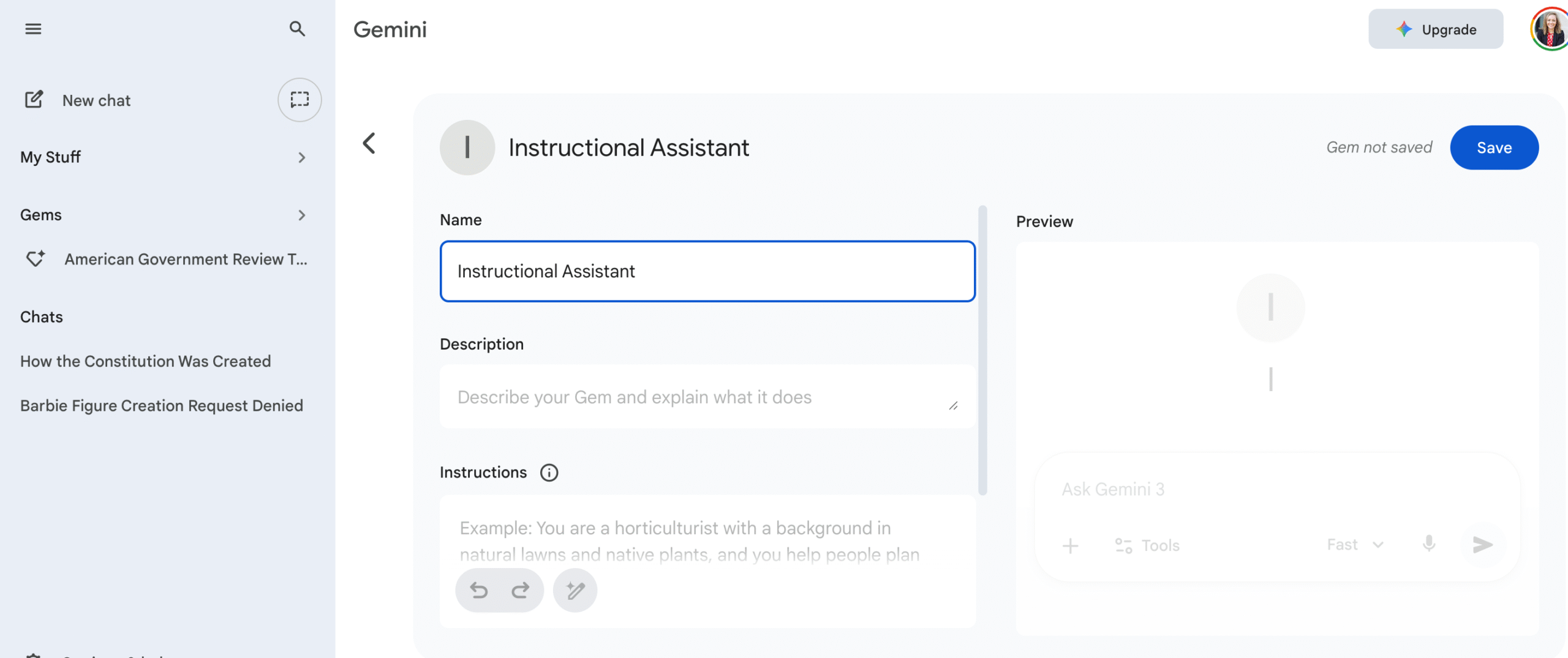
- Select the three lines (hamburger) on the top right corner of Gemini to expand the menu. Then, select “gems.” Here, you’ll see “gems” created by Google Labs which are really neat. However, go ahead and click the “new gem” icon.
- Now, it’s time to build your gem. Create a name and description for your gem. Then, provide your gem with instructions – basically, tell your gem what you want it to be able to do. You can also determine what type of tool you want to be able to use when interacting with your gem – this is especially helpful if you plan to create and share your gem with your students. Here, you can also add specific knowledge that you want your gem to use – upload from your computer or from Drive. This is optional!
- Hit save and your gem is ready to use!
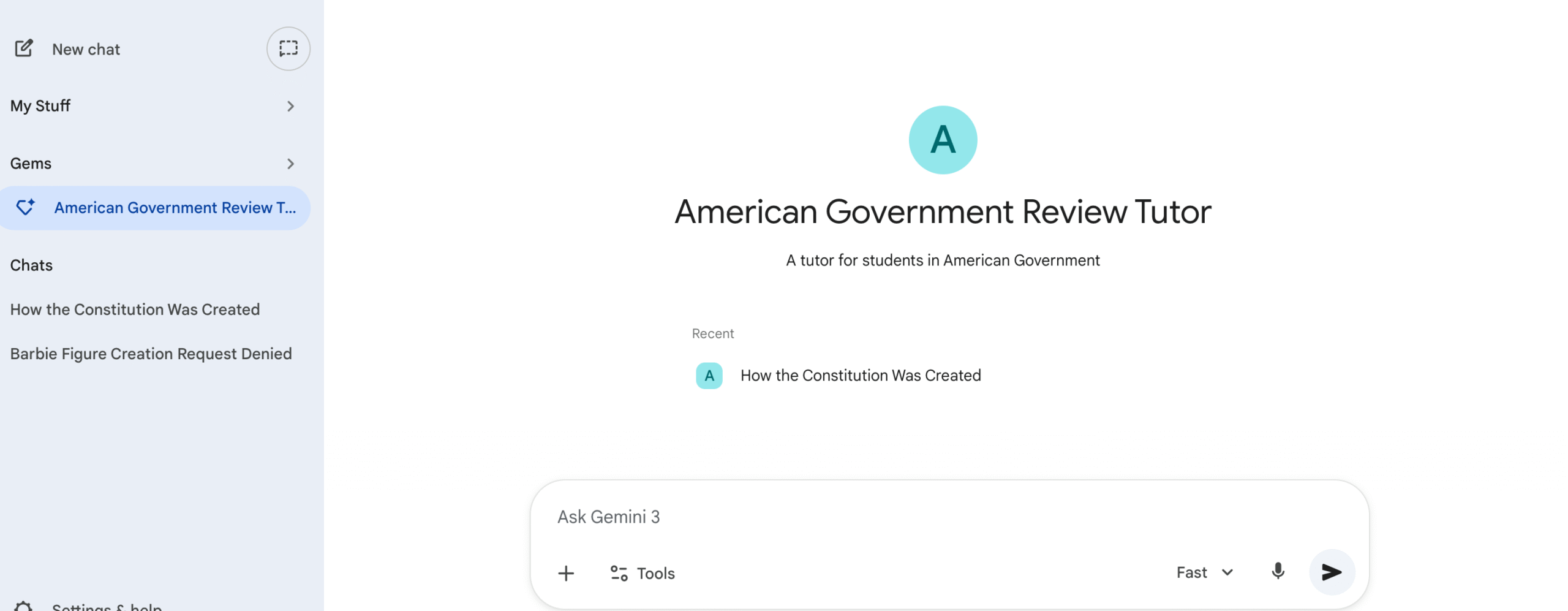
Now that your gem is ready, you can share it easily with your students through link OR by adding it as a resource on an assignment in Classroom. SO EASY!
Here are a few “gems” that you could create!
- Text Levelers
- Lesson Hook Generators
- Vocabulary Builder <– I use this!
- Historical Figure Bots
- Novel Character Bots
- Quiz Creators
- …and MORE!
Have you used gems in your classroom? I’d love to hear about it!
Thanks for reading 🙂













Leave a Reply