At the end of the year, I feel like I find myself searching for new or different tools/activities even more than I normally do. Why? Simply because I need to find something new or different to motivate my students. The light at the end of the school year tunnel is getting bigger, the weather is a tad nicer (sometimes - I mean, I do live in Missouri), and inside the four walls of a classroom is ... Read More about Creating a Database with Google Sites
Search Results for: word
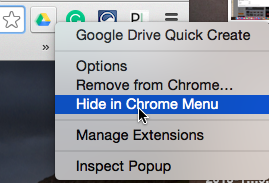
A Techy Teacher’s Toolbox: More Great Chrome Extensions for Teachers
Chrome extensions are fantastic additions to your already awesome Chrome browser. I've written before about some amazing Chrome extensions, but I've recently started using even more, and I feel like I need to share! Padlet Mini I've also written extensively about the many ways I use Padlet in my classroom. Until recently, I had never really devoted much attention to the Padlet extension, and ... Read More about A Techy Teacher’s Toolbox: More Great Chrome Extensions for Teachers
How I Set Up My Blog : Part 2
Welcome to part 2 of my "How I Set Up My Blog" series. Today, I'm sharing the tools, themes, and sites that I use to jazz up my blog. Enjoy! Framework: Genesis The Genesis framework is a purchase I finally made in January. When I first started blogging, I didn't really know what I was doing (not saying that I have a firm grasp on that now - ha!), nor did I know how much time I was going to ... Read More about How I Set Up My Blog : Part 2
How I Set Up My Blog – Part 1
I've been blogging for a little more than two years, and by no means do I consider myself to be an expert in the field! However, I've recently been asked to talk about the tools and resources I use to set up my blog. Without further adieu, here's how I set up my blog...part 1! Blogging Platform: WordPress.org When I created my blog initially, I used Blogger has my blogging platform simply ... Read More about How I Set Up My Blog – Part 1
Google Docs Keyboard Shortcuts
We've been a GAFE school for many years, and have been 1:1 with Chromebooks for two school years. My students and I STILL have problems remembering specific shortcuts and how to find specific tools in Google Docs, because many features are in different locations in Google and Microsoft products. To help everyone with this issue, I've created mini posters to display around my classroom that ... Read More about Google Docs Keyboard Shortcuts